> For the complete documentation index, see [llms.txt](https://docs.madconnect.ai/llms.txt). Markdown versions of documentation pages are available by appending `.md` to page URLs; this page is available as [Markdown](https://docs.madconnect.ai/connectors.md).
# Connectors
## Connectors Overview
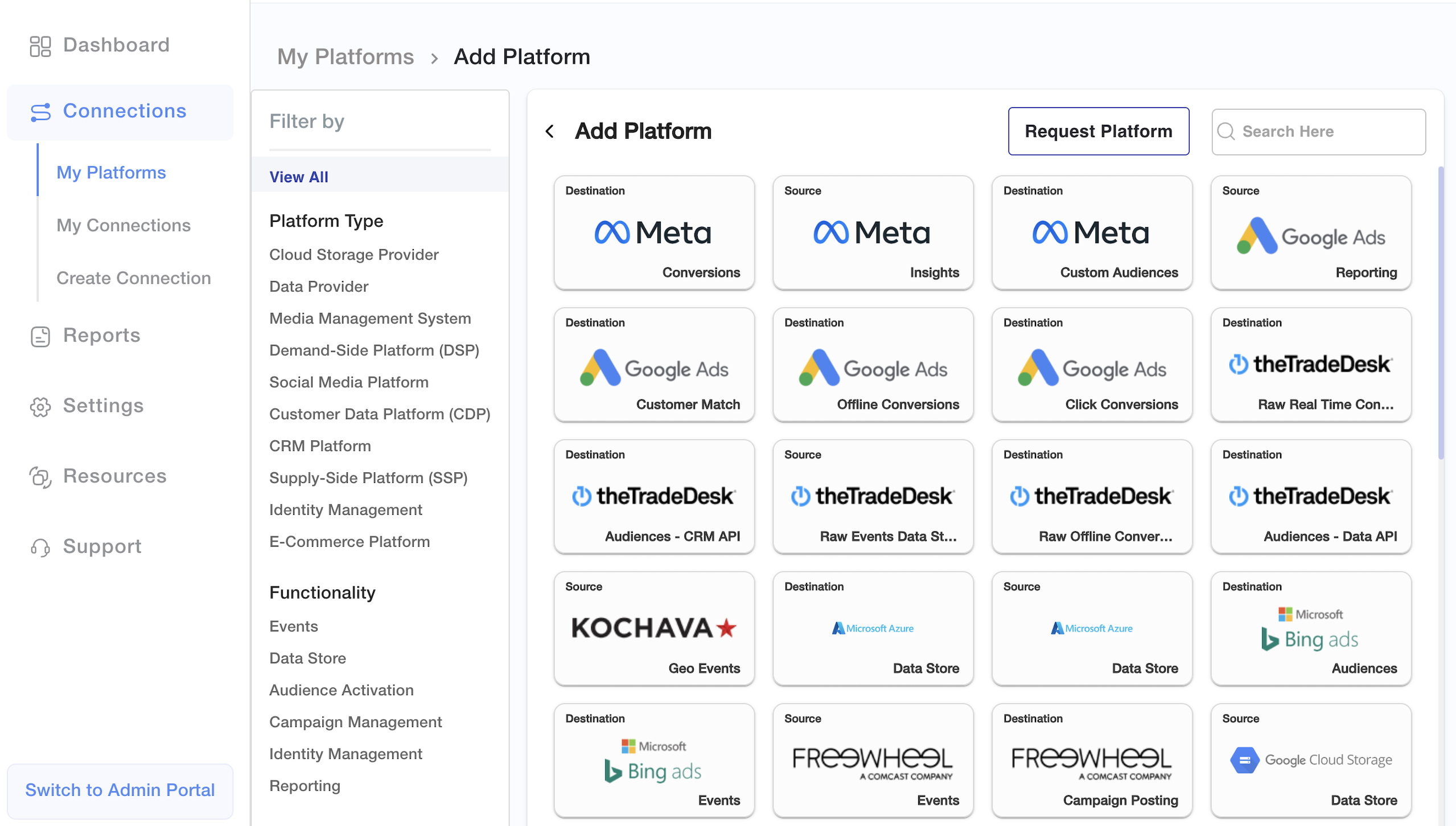
Connectors are at the core of how MadConnect moves data between platforms. Each connector encapsulates the logic needed to transfer data from a **source** (e.g., Snowflake, S3, Azure, BigQuery) to a **destination** (e.g., Meta, Google Ads, Amazon Ads, Criteo, Salesforce), or vice versa.
This page provides a client-facing overview of how connectors work, what types are supported, and how they are used within the MadConnect platform.
***
### What Are Connectors?
A connector is a prebuilt integration that enables communication between a data platform and a marketing or advertising system. Each connector:
* Defines **authentication requirements** for the platform
* Enforces **schema rules** expected by the destination
* Maps platform-specific metadata or optional configurations
Connectors remove the need for custom scripting or manual file formatting, allowing you to focus on using your data — not transporting it.
***
### Connector Types
MadConnect supports multiple connector types that power a wide range of use cases. Today, the primary categories include:
#### 1. **Audience Connectors**
Push first-party user data to advertising platforms for targeting and segmentation.
* Examples: Meta Custom Audiences, Google Customer Match, The Trade Desk First-Party Segments
* Supported ID types: hashed emails, phone numbers, MAIDs, UID2s, RampIDs
#### 2. **Conversion Connectors**
Send conversion events back to platforms for attribution and campaign optimization.
* Examples: Meta Conversions API, Google Offline Conversions, TikTok Events API
* Supports event parameters such as transaction values, timestamps, and match keys
#### 3. **Reporting Connectors**
Pull campaign performance data from platforms into your analytics environment.
* Examples: Google Ads Reporting, Meta Ads Insights, The Trade Desk Reporting
* Data can be sent to Snowflake, BigQuery, or other connected stores
#### 4. **Cloud and Data Platform Connectors**
Enable MadConnect to read from and write to your preferred data infrastructure.
* Examples: Snowflake, AWS S3, BigQuery, Azure Blob
* Support source and destination use cases, with automatic schema handling and scalable batch logic
#### 5. **Future Use Cases** *(Coming Soon)*
MadConnect’s connector architecture is designed to scale with your marketing and analytics needs. Upcoming expansions will include connectors for:
* Identity resolution and enrichment
* Clean room integrations
* Consent Management
* Real-Time Streaming
***
### Key Characteristics of MadConnect Connectors
* **Prebuilt and Maintained**: No custom coding required; MadConnect maintains platform updates.
* **Schema-Aware**: Validates field structure and formats before transfer.
* **Configurable**: Customize fields such as segment ID, audience type, match logic, time zones, and more.
* **Secure by Default**: Uses platform-specific authentication (OAuth or API Key) and encrypted transfer.
* **Metadata Enrichment**: Optional fields like lifespan, audience source, or delivery type can be specified.
***
### Where to Configure Connectors
To configure a connector in MadConnect:
1. Navigate to **My Platforms** in the UI
2. Add or authenticate the platform account
3. Go to **Connectors** tab and select the connector type (Audience, Conversion, Reporting)
4. Fill in schema and optional metadata
5. Save and validate connection
Connectors can also be created programmatically using MadConnect’s [API endpoints](/deployment-options/madconnect-apis.md).
***
For a full list of available connectors and platforms, visit our [Connector Catalog](https://madconnect.io/connector) or contact your MadConnect representative.